LLM drift monitoring means running the same eval suite against the same pinned model on a schedule, and alerting when scores move even though nothing in your repo changed. With Drift-CI it's a nightly GitHub Actions workflow: the suite runs against your committed baselines, a drop past the threshold fails the job, and synced runs build a score history in the dashboard.
What LLM drift monitoring catches
Pull-request checks catch the changes you make. Drift is the change you didn't make. A provider can update the model behind a name, adjust safety tuning, change serving infrastructure or alter defaults, and your prompt now produces different answers. Model aliases that point at "the latest" version make this more likely.
These changes are usually small and uneven: one category of input starts getting refused, a label flips on borderline cases, replies get longer. Nobody files a bug, because no single answer looks broken. You notice weeks later, if at all.
The fix is the same suite you already use for pull requests, run on a timer. If you don't have one yet, the LLM regression testing guide covers building it.
Nightly runs with GitHub Actions
This is the scheduled workflow from our dogfood repo, which tests a support-ticket triage prompt pinned to one model:
name: nightly-drift
on:
  schedule:
    - cron: '0 6 * * *'   # 06:00 UTC daily
  workflow_dispatch: {}     # allow manual runs for testing

permissions:
  contents: read

jobs:
  nightly:
    runs-on: ubuntu-latest
    steps:
      - uses: actions/checkout@v4
        with:
          fetch-depth: 0
      - uses: Drift-CI/drift-ci@v1
        with:
          provider: anthropic
          api-key: ${{ secrets.ANTHROPIC_API_KEY }}
          # Runs on main against main's committed baselines. No PR => no comment.
          # A failure here with no code change means the model drifted.
          post-comment: 'false'
          fail-on-regression: 'true'
It checks out the default branch, runs every case, and compares the scores with the baselines committed there. There's no pull request, so there's no comment; the signal is the job status. If it fails and nobody merged anything, the model moved. The pull-request half of this setup is covered step by step in the GitHub Actions tutorial.
Two things make this work. The model must be pinned in .drift/config.yaml, because the point is to hold everything constant except the provider. And the baselines on your default branch must be current, which they will be if you accept intentional changes in the PRs that cause them.
Watch score trends in the dashboard
A failed job tells you something changed. The dashboard tells you what and when. To sync scheduled runs to drift-ci.com, give the job the same two settings the pull-request workflow uses for keyless sync: the id-token: write permission and the action's dashboard-url input.
permissions:
  contents: read
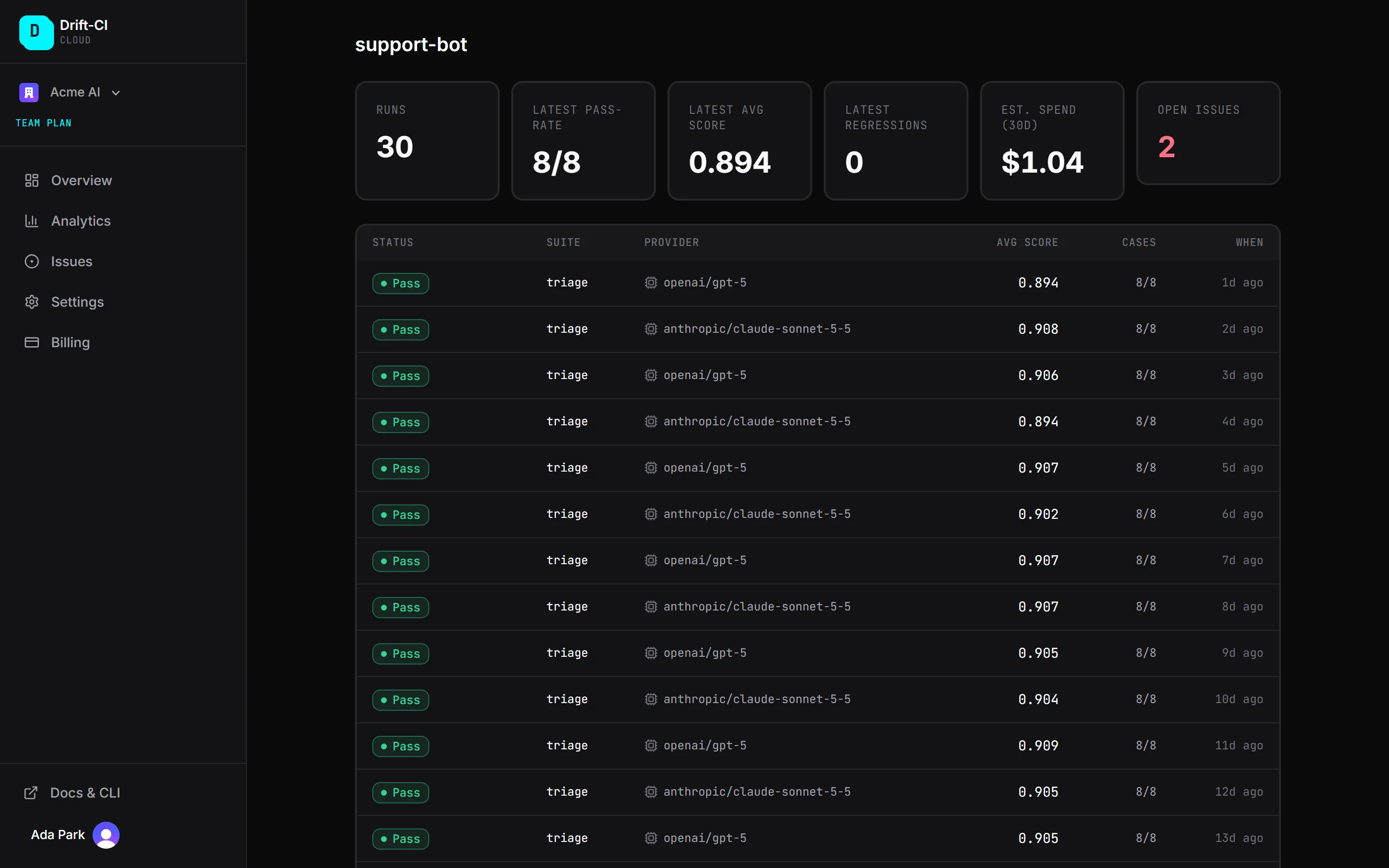
id-token: write # keyless drift-ci.com syncdashboard-url: https://drift-ci.comEach synced run appears on the project page with its status, model, average score and case count. The screenshot below uses demo data, not our nightly job.
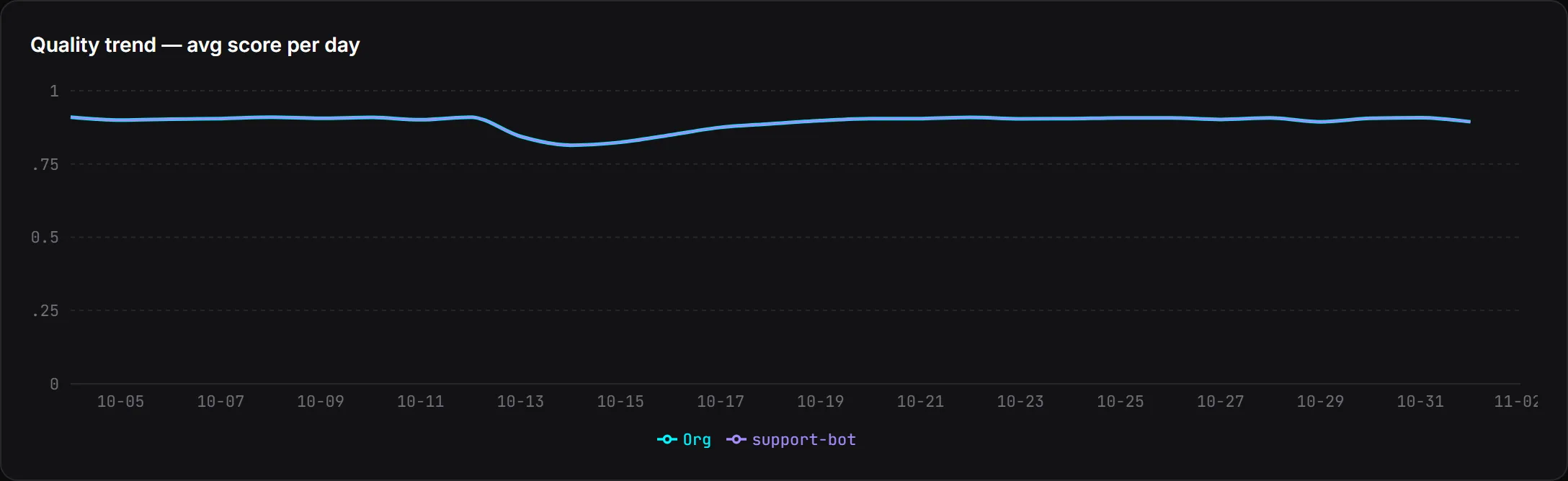
Every case has its own score-over-time chart and an output diff against the previous run, which is usually the fastest way to see what the model started doing differently. On the Team plan, org analytics adds a daily quality trend across projects, so a dip that lines up across several suites stands out.
Outages are not drift
A scheduled job will eventually run during a provider incident. Provider errors are never regressions, and since the Drift-CI GitHub Action v1.4.0 an aborted run still syncs as Transient error without opening or reopening issues; the guide's section on flakiness and outages has the details.
Alerts and regression issues
On the Team plan, every case that regresses in a synced run opens an issue. You can assign it, discuss it and resolve it. If the same case regresses again after you resolved it, the issue reopens, and each regression is added to its timeline with the score delta. For drift, that history is the record: when it started, how far it went, and whether it came back.
Today the failed scheduled job is your notification, through GitHub's workflow-failure notifications. Slack and email alerts for the hosted dashboard are coming soon; the self-hosted dashboard already supports alert rules for Slack, Teams, PagerDuty, email and webhooks.
When drift does show up, decide whether to fix the prompt, accept the new behaviour as a baseline, or move to a different model. For that last step, see testing an LLM model upgrade. The pull-request side of the same suite is covered in prompt regression testing.